Changeover inspections
Room by room, with photos, damage reports and a record of who was there.
Basisa, Hlayisa Ndhawu · “look after the place”
Changeover inspections, maintenance, owner rosters, farm reports, emergency contacts and community notices, all in one place, instead of spreadsheets, paper checklists and WhatsApp groups.
The platform
One app for the people on the ground, one website for the desk. Everyone sees the same picture, as it happens.
From a six-unit lodge to a sixty-unit, multi-site portfolio or a whole farm.
Administrator, manager, housekeeping, maintenance, owner and resident roles, each seeing only what they need.
Big buttons for gloved hands, one item at a time, photos on every damage report.
Setup, data migration and onboarding, so properties and people are loaded before anyone joins.
Room by room, with photos, damage reports and a record of who was there.
Damage reports become assignable jobs, tracked from reported to verified and closed.
Property condition, report tracking and a live timeshare roster with week swaps.
Anyone can report what they see. Management is told straight away and the reporter sees every update.
A dashboard for the desk: what is ready, what is waiting on a repair and what needs attention.
The right person hears about the right thing, from a critical repair to a swap request.
See it in action
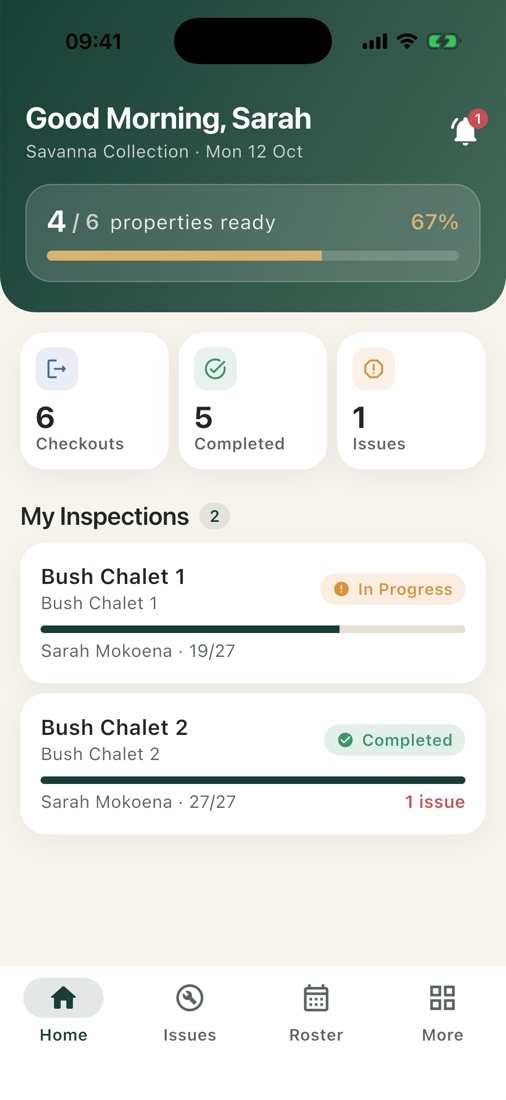
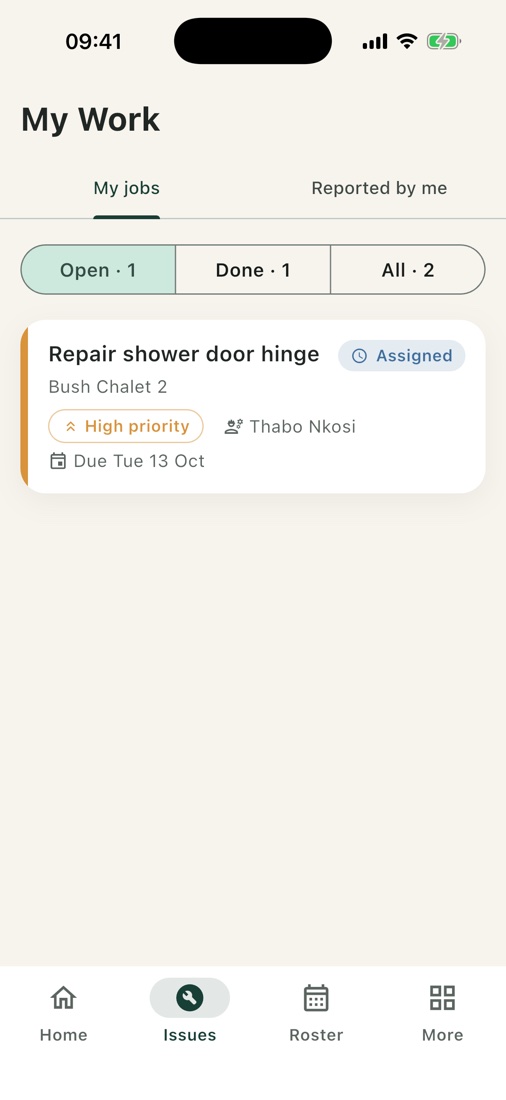
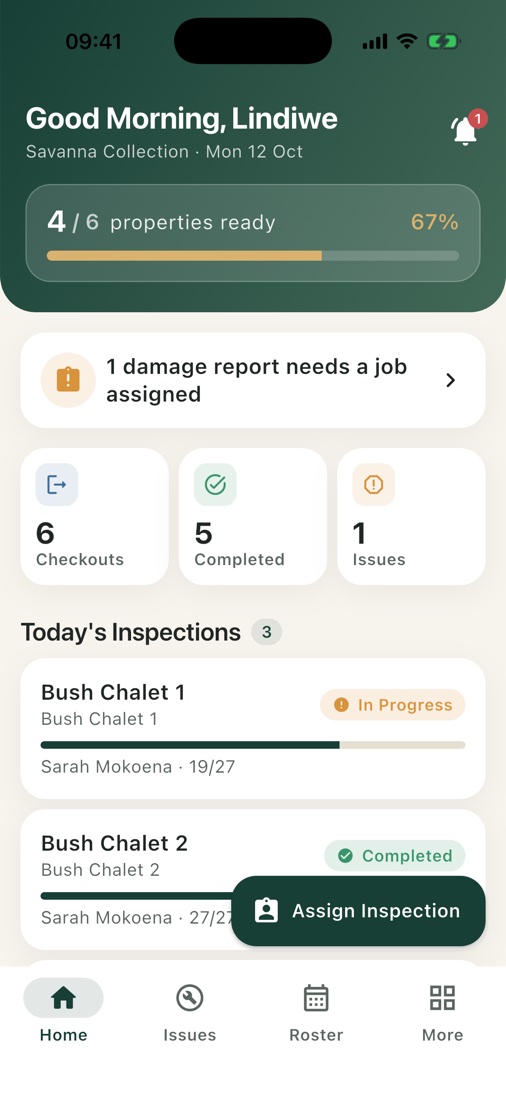
The team on the ground sees today’s work the moment they open the app, and inspects a unit item by item.
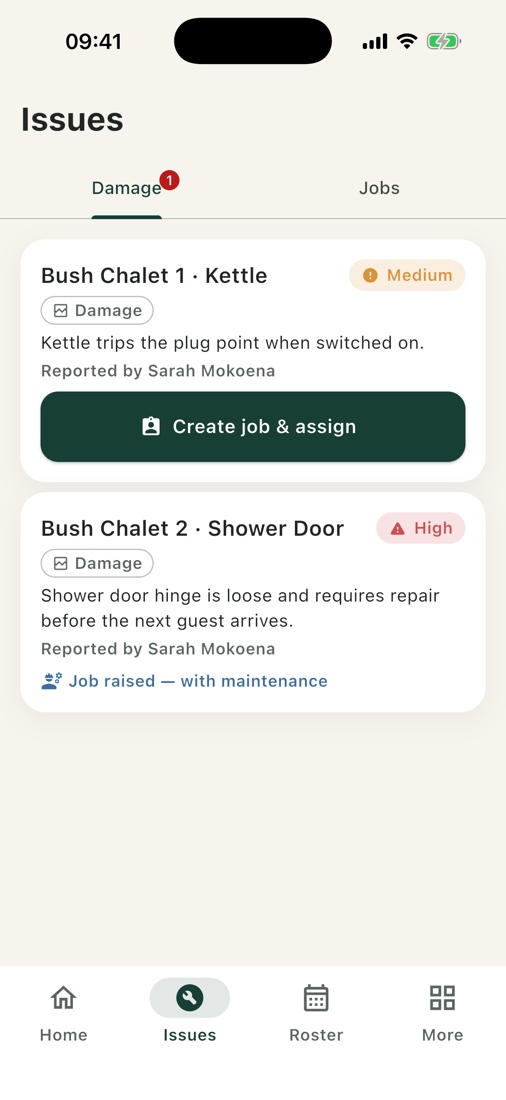
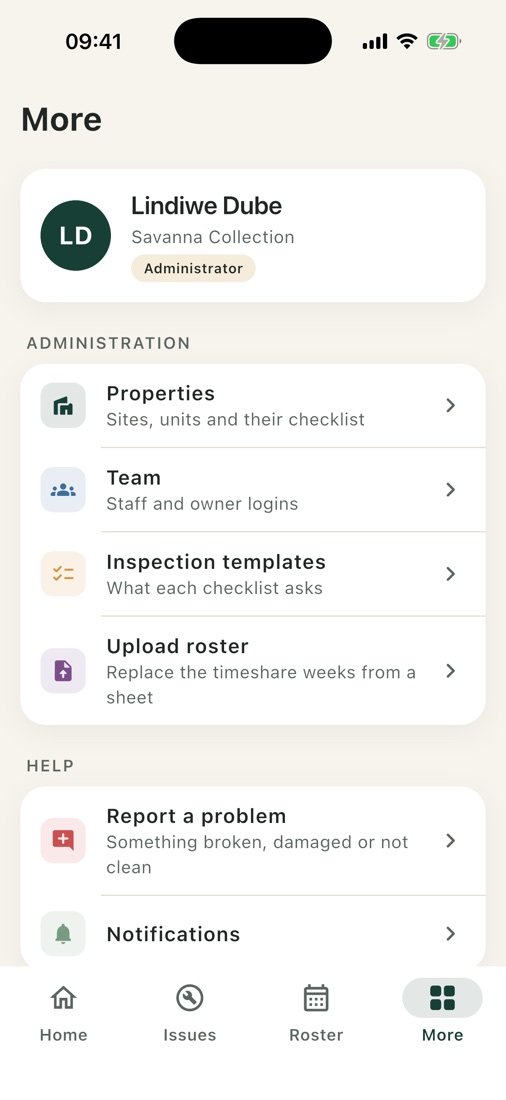
Everything an admin needs to set up and run a portfolio lives in the app and on the admin website, not in spreadsheets or support tickets.
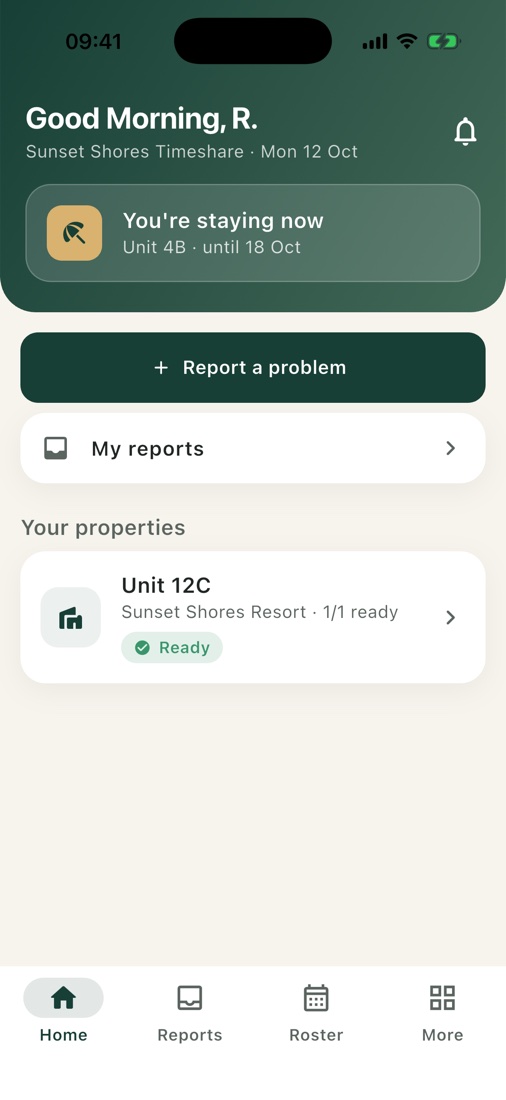
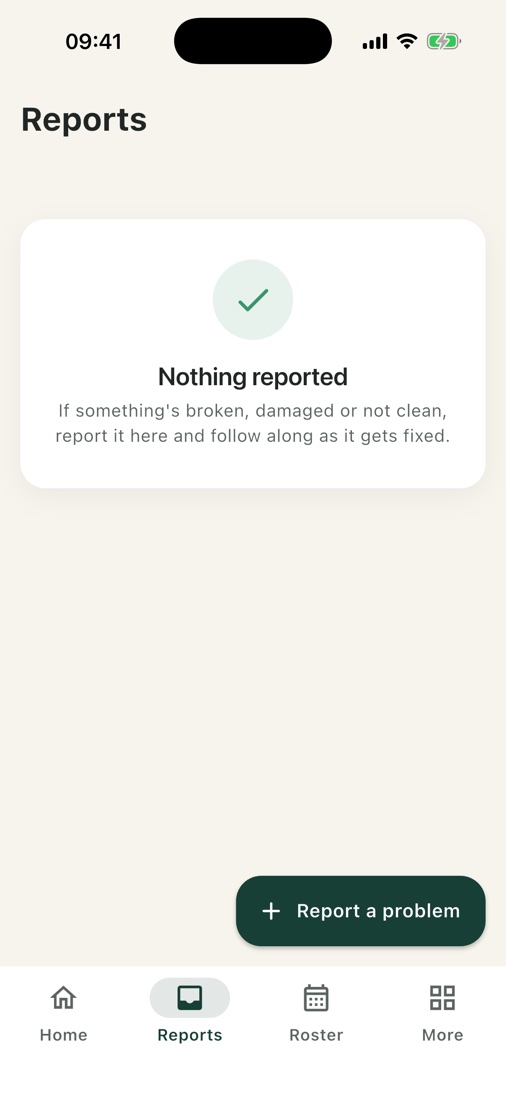
Owners and residents see how their property is doing, when their next stay is, and every problem they’ve reported.
From report to repair
From the first report to a checked repair, everyone who needs to know is told at the right moment.
An owner or staff member reports it with a photo and where it is.
ReportedThe manager and admin are notified at once.
ReportedAcknowledges, sets priority and assigns a technician or supplier.
AcknowledgedThe technician adds notes and photos as the work moves.
In progressManagement checks the repair. The reporter is told it is fixed.
CompletedTimeshare roster
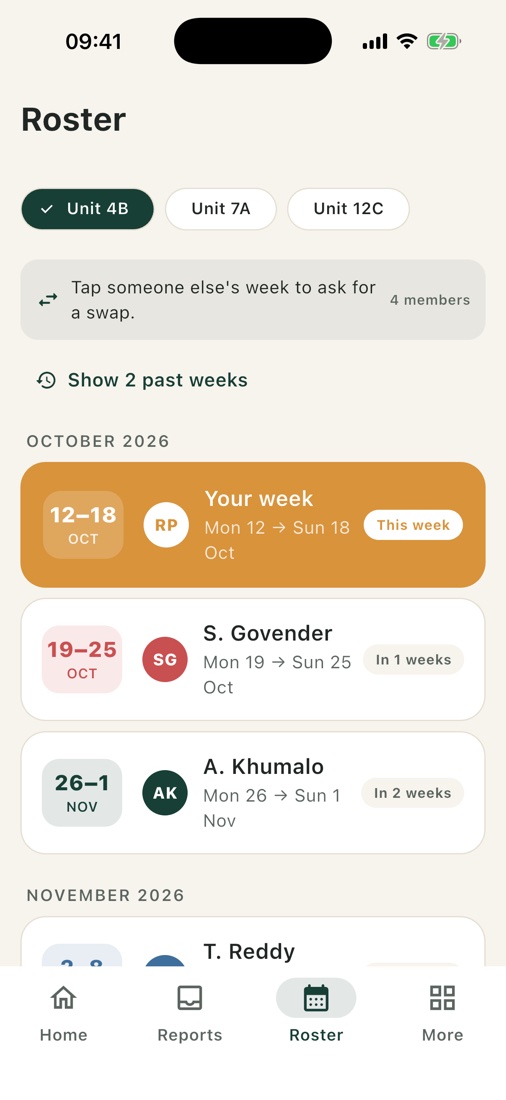
Weeks run Monday to Sunday, colour-coded per member, with “This week” called out.
Choose which of your own weeks to offer.
They accept or decline from their own roster, and it updates at once.
Paste next year’s schedule or upload a PDF calendar.
Add-on modules
Switch on what your community needs. Rolled out in phases: safety and communication first, then the map and community tools, then operations.
Any owner, resident or team member can report what they see, with a description, photos and a location. Every road, gate and pump keeps a maintenance history, so recurring problems show up.
One press alerts the control room and the duty manager, with the caller’s name, house and location attached. Choose medical, fire, security or wildlife. Every call is recorded.
SOS adds to calling emergency services and never replaces it.
Each farm keeps its own directory: tap to call, WhatsApp, directions and a 24-hour flag. Contacts are tagged to an area, so the nearest show first.
Outages, security alerts, fire and weather warnings and wildlife sightings, sent to the whole farm, an area, a property or a group.
Discussions, recommendations, lost and found, and announcements. Management pins key posts and moderates.
Roads, gates, dams, boreholes, firebreaks and fences, with live pins for open reports, alerts and sightings.
A shared calendar, a library for farm rules and forms, and polls for community decisions.
Residents pre-register visitors, who receive a pass. An approved contractor register records that farm rules were acknowledged.
Private by design
Each organisation’s data is kept separate, roles are enforced by the server and every important action is recorded in an audit log.
Medical notes, visitor details and security reports are shared only with the people who need them.
Questions
Lodges, timeshare resorts, farms and residential estates: anywhere a team has to keep properties ready and keep owners and residents informed.
No. Setup, data migration and onboarding are part of getting started, so your properties, team and owners are loaded before anyone signs in.
Yes. Admins build templates section by section and choose the answer type for each item: a condition check, yes/no, a 1–5 rating, a pick-list, a number, a note or a photo.
Yes. Import the roster from a CSV or a PDF calendar, check the preview, and confirm. Owners see their weeks straight away.
The admin website runs in any browser. It shows readiness, open reports and maintenance, and lets you open any inspection with its answers and photos.
Yes. Every organisation’s data is isolated, roles are enforced on the server, and important actions are written to an audit log.
Get started
Tell us a little about your property or community and we’ll set up a walkthrough and schedule onboarding.
admin@basisa.co.za